Gemini - Canvas
Gemini Canvas
Role: UX Motion Designer
Launched: March 2025
In March 2025, Gemini released its Canvas feature, which was a new interactive space within Gemini designed to make creating, refining and sharing work easy. Users could now write, code, create – all in one interactive space.
My responsibilities on Canvas included the creation and refining of new motion patterns and transitions, as well as validating the UX flows through motion. With the multiple panels and points of interaction, choreographing the many flows with motion was also key in defining the user experience.
Canvas Creation
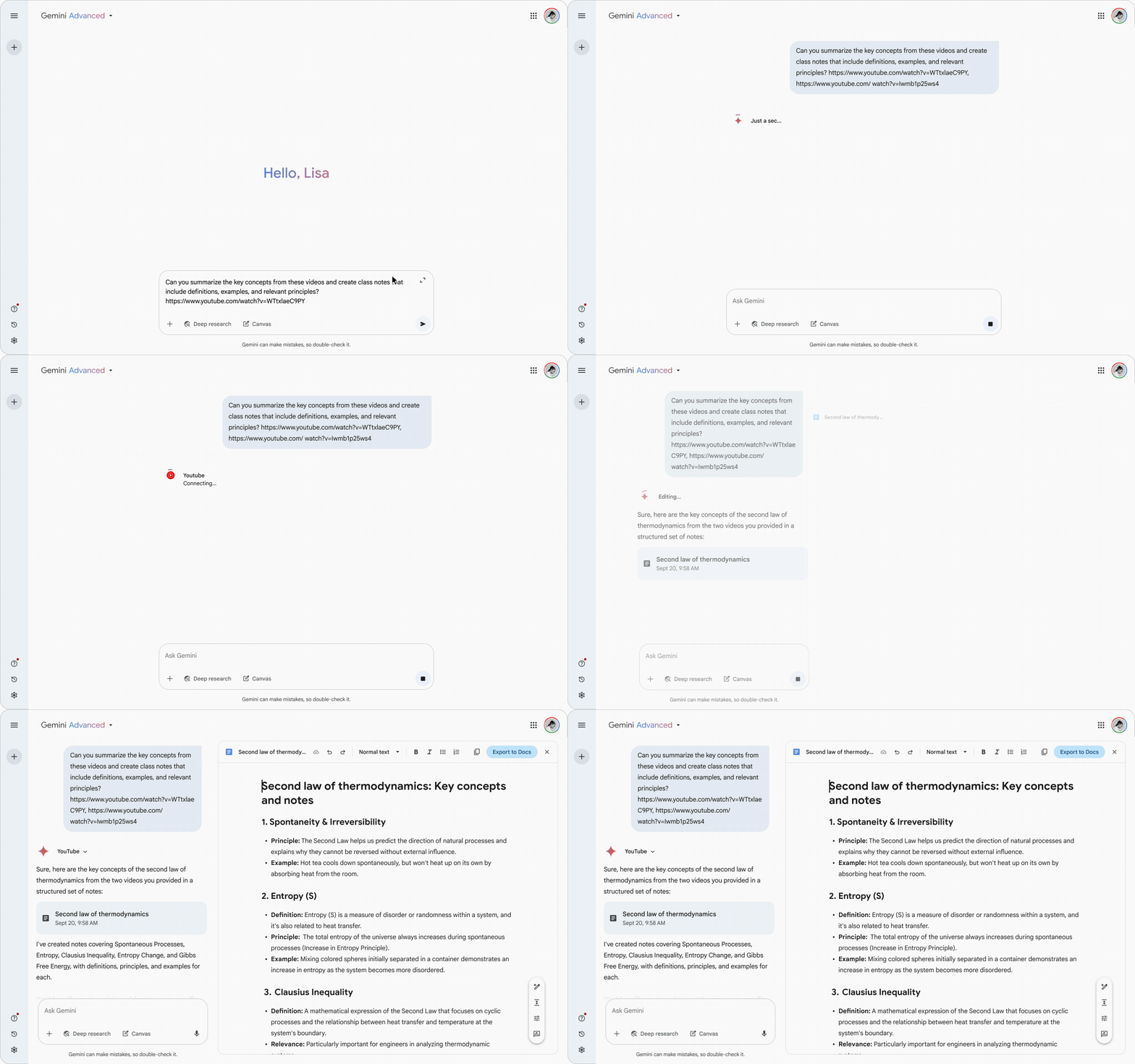
For the user, the process of creating a new canvas is relatively simple, but there are many things happening behind the scenes between the initial prompt and the final creation. This required quite a bit of careful choreography to keep the user informed of the steps that Gemini is taking before the completion of the canvas, which is key in maintaining user trust when dealing with a process that carries a fair amount of native model latency.
Surgical Edits
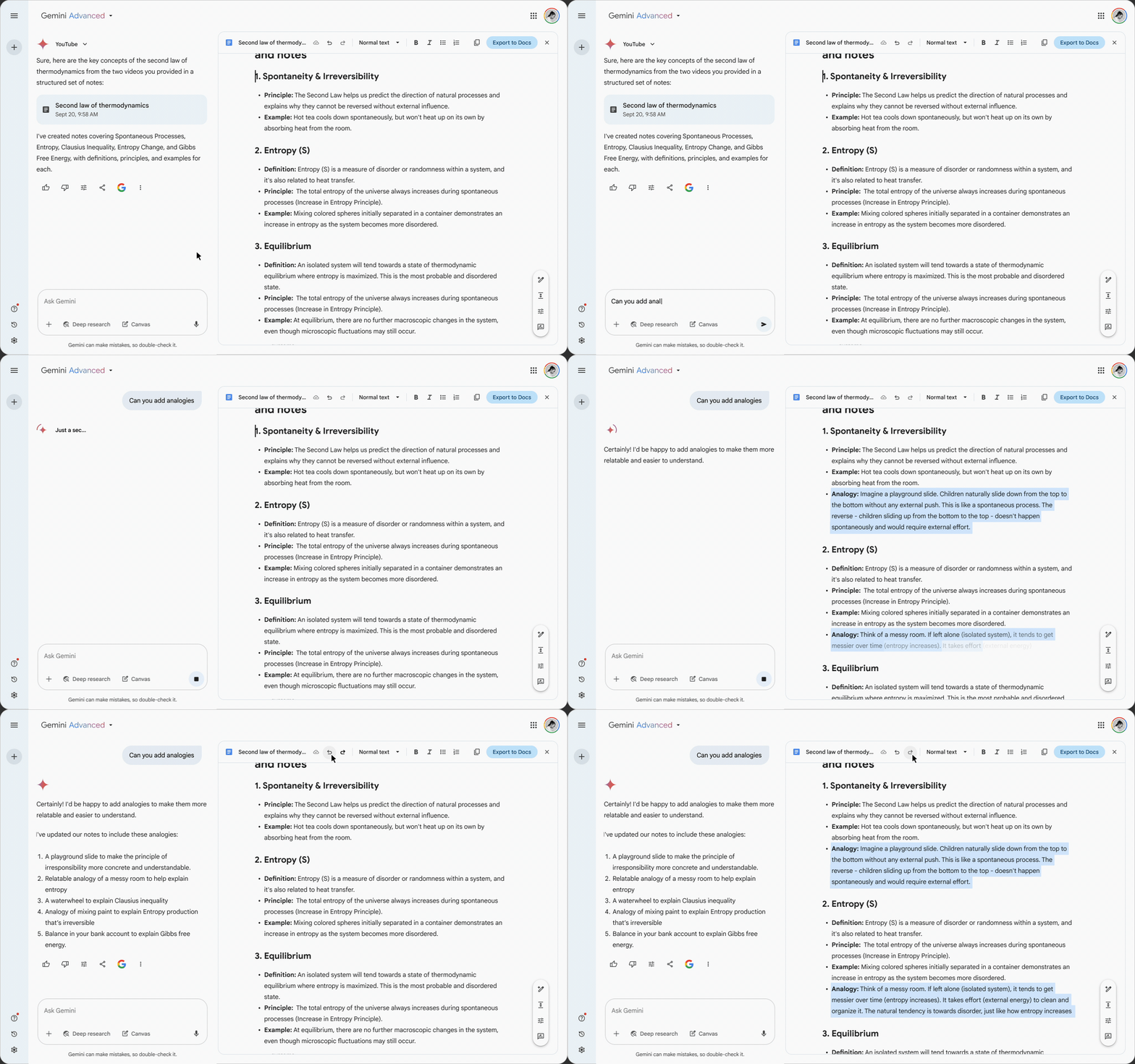
Gemini has the ability to take a non-specific edit prompt and determine where in the document the changes should be made. However, it can become confusing for the user to find which sections were altered or added, especially when edits are occurring below the fold. This became clear during the end-to-end motion flow / choreography phase. To address this, we stressed the importance of keeping the edited text highlighted after the edits were complete, and also when toggling undo/redo. The highlights stay visible until the user clicks into the document, at which point the new text is deselected.
Specified Edit
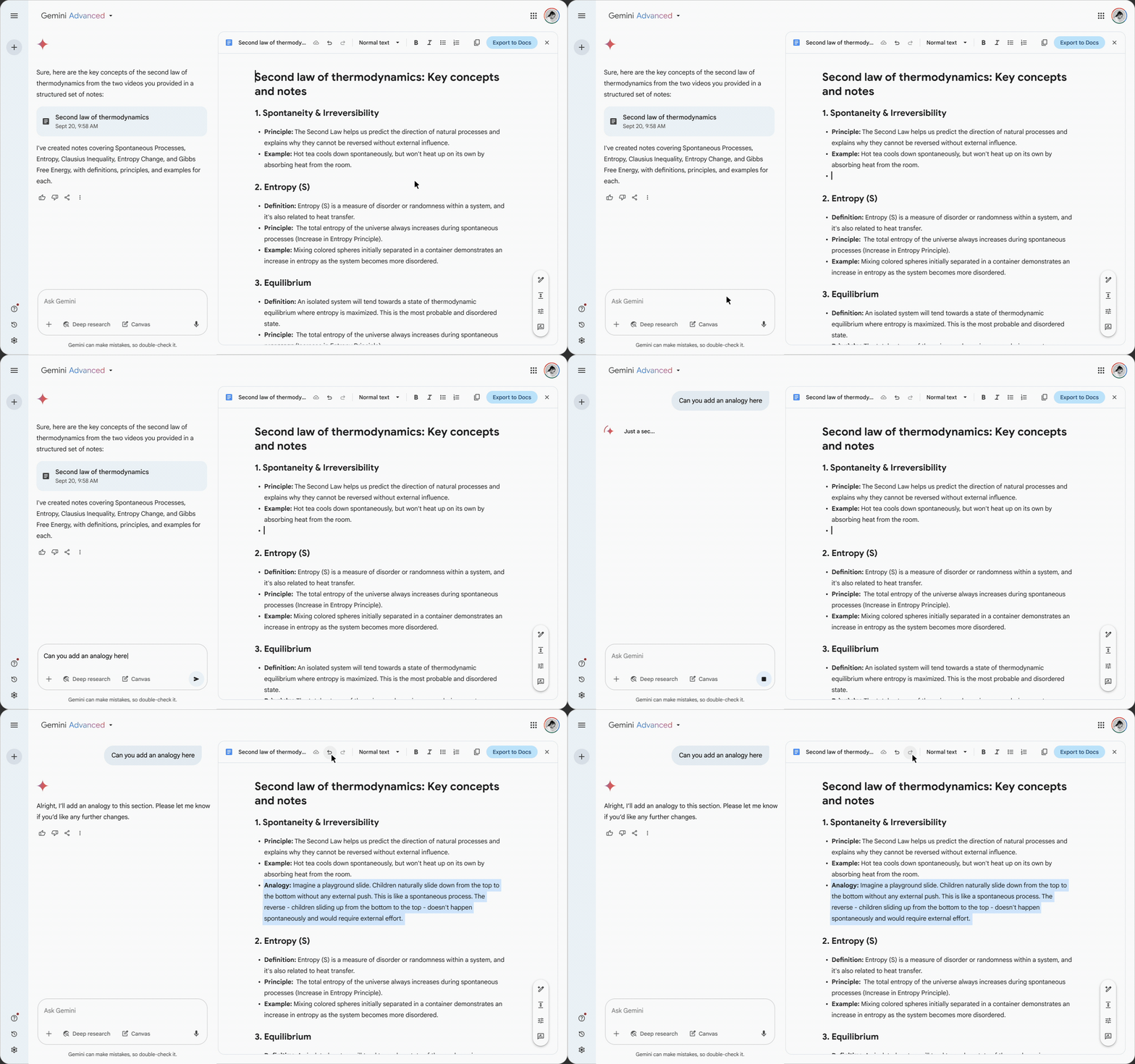
Canvas is a co-creation tool at its core, allowing the user to make broader, document-wide changes, as well as targeted, user-specified updates. This flow shows an example of a user manually editing the document, specifying the precise location of the desired edit.
Length Slider
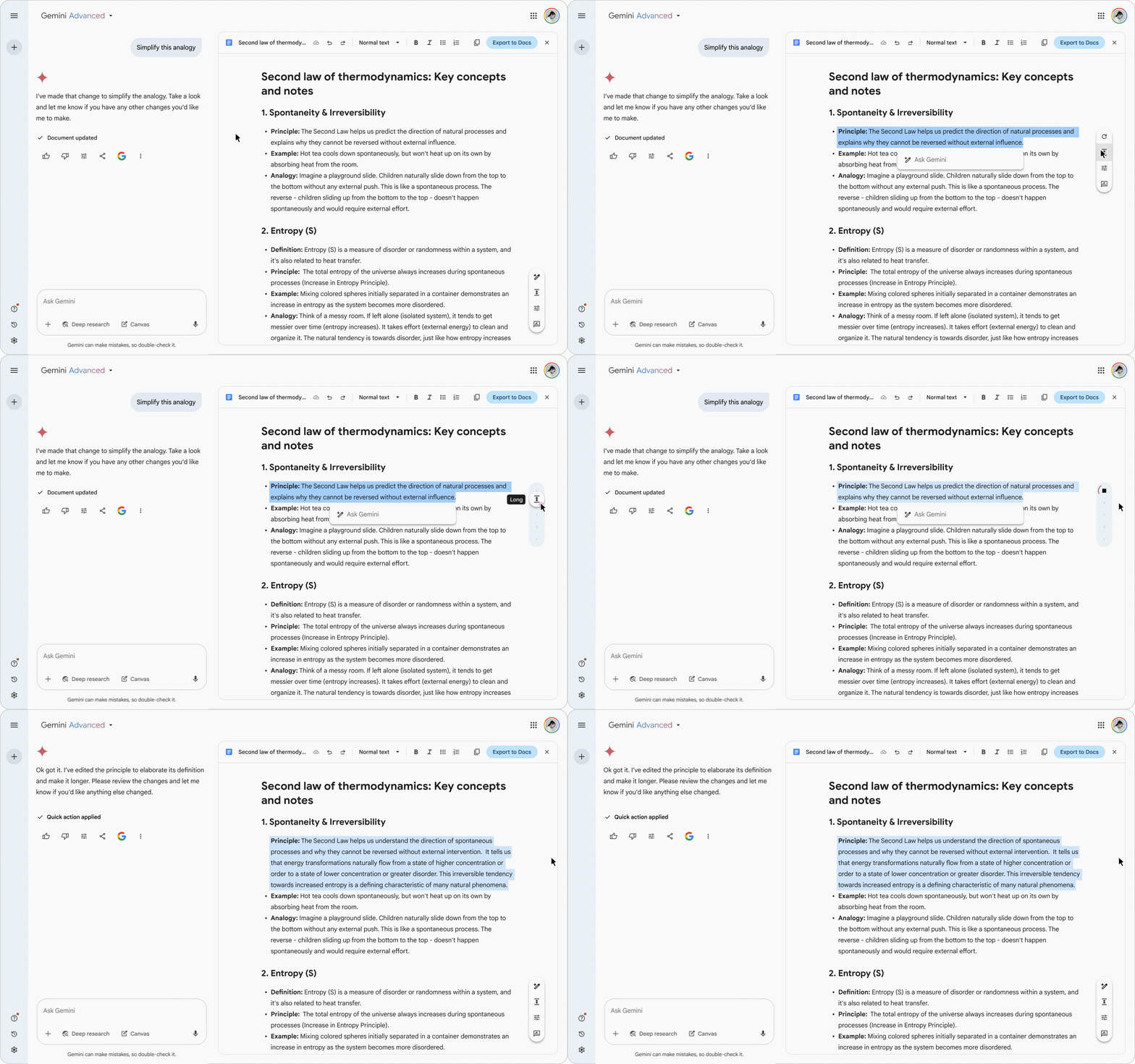
To give the user a tool for creating quick, non-prompted edits, we added a FAB (floating action button) that appears adjacent to the selected text. Among other tools, the FAB has a length adjustment button, which when clicked transforms the FAB into a slider which gives the user several text length adjustment options to choose from.
For a more detailed look at my UX motion work, please check out my UX Motion Portfolio